
Hot Wallet Security: Tips for Safe Use
Practical tips to secure hot crypto wallets: strong passwords, hardware 2FA, avoid phishing, protect private keys, limit funds, update software, and test backups.
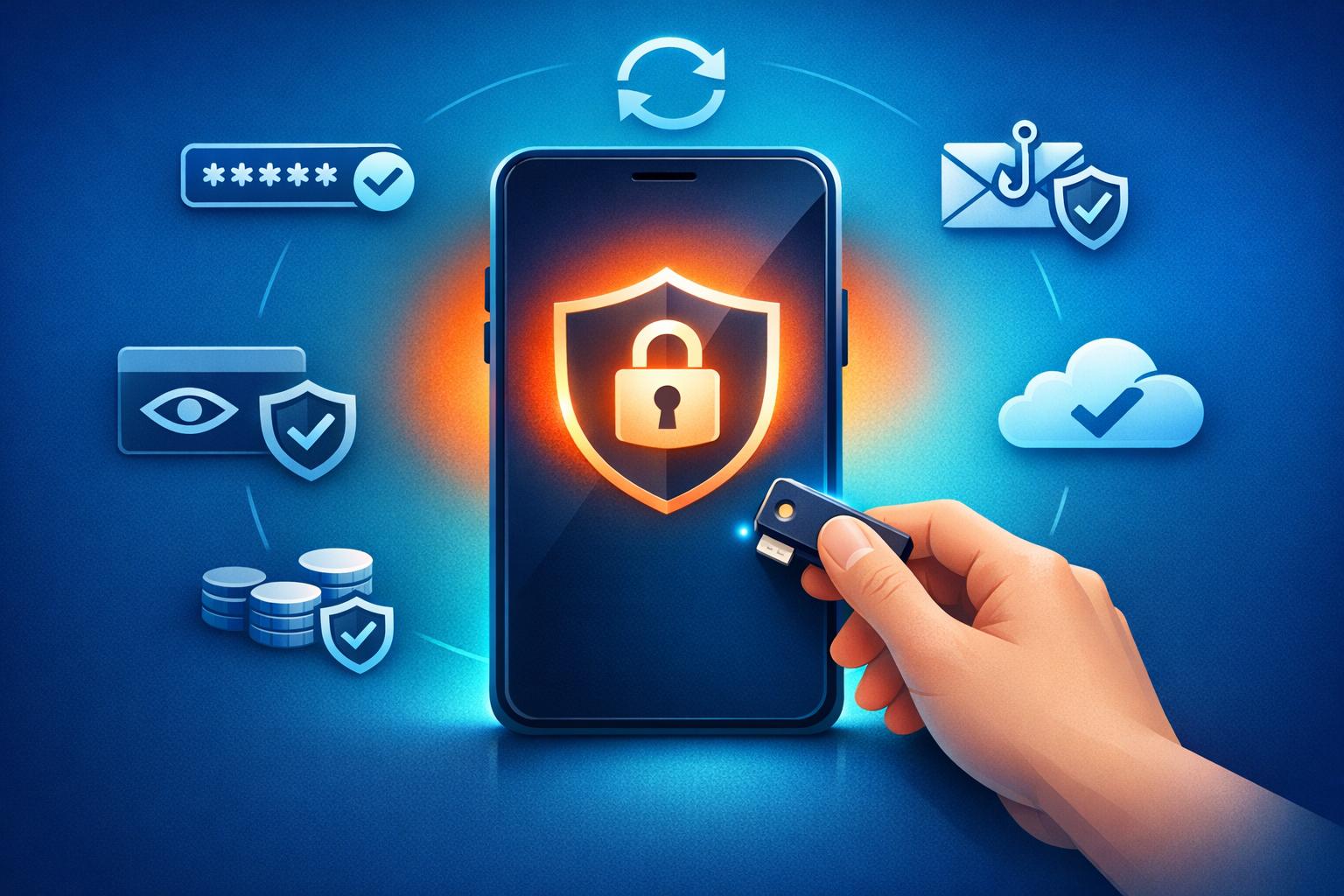
Hot wallets are convenient for quick crypto transactions, but their constant internet connection makes them vulnerable to risks like hacking, phishing, and malware. Protecting your funds requires a proactive approach. Here's how to secure your hot wallet:
- Use Strong Passwords: Create unique, long passwords with a mix of letters, numbers, and symbols. Avoid reusing passwords across platforms.
- Enable Two-Factor Authentication (2FA): Opt for hardware keys or authenticator apps over SMS or email-based 2FA.
- Beware of Phishing Scams: Verify website authenticity, avoid clicking on suspicious links, and download wallet apps only from official sources.
- Secure Private Keys: Never share your private keys or recovery phrases. Store them offline in a safe place.
- Limit Funds in Hot Wallets: Keep only what you need for daily transactions. Store larger amounts in cold wallets.
- Keep Software Updated: Regular updates ensure your wallet and device are protected against new vulnerabilities.
- Backup and Test Recovery: Write down your recovery phrase, store it securely, and periodically test the recovery process.
Use Strong, Unique Passwords
Your hot wallet password is your first line of defense. A weak or reused password can be cracked in under 7 minutes by modern computing power. This makes it critical to create strong, unique passwords to protect your cryptocurrency. By doing so, you significantly reduce risks tied to the cyber threats mentioned earlier. Make sure every account password is uniquely crafted and securely stored.
Create Unique Passwords
Reusing passwords across platforms can expose you to credential stuffing attacks, especially in the event of a breach.
"Reusing passwords is a dangerous security practice. If someone gets ahold of your password - whether that's from a data breach, or wherever else - they can often gain access to any other account you used that same password." - Electronic Frontier Foundation
A strong password should include a mix of uppercase and lowercase letters, numbers, and special characters. Length matters too - adding just three characters to an 8-character password can increase the crack time from 7 minutes to 8 days. Ideally, aim for at least 12 characters. Alternatively, you can use a passphrase made up of six or more randomly chosen words.
Use a Password Manager
Managing dozens of unique, complex passwords can feel overwhelming. That’s where password managers come in. These tools generate and securely store strong passwords, all protected by a single master password. This way, you only need to remember one robust passphrase. They also encrypt your credentials and can autofill them in browsers and apps, minimizing errors when entering long passwords.
However, avoid storing your wallet's recovery phrase (seed phrase) in a password manager. These tools should only be used for access passwords and exchange credentials. Your master password is the ultimate key to your security, so make it as strong as possible and protect it with two-factor authentication.
Enable Two-Factor Authentication (2FA)

2FA Security Methods Comparison for Crypto Wallets
Once your passwords are secure, take your account protection a step further by enabling two-factor authentication (2FA).
A strong password isn't enough to keep your crypto safe. 2FA is essential for every hot wallet, exchange account, and crypto-related login you use. Research shows that multi-factor authentication can block 99.9% of account compromises, making it one of the most reliable defenses against cyber threats.
2FA works by requiring a second verification step beyond your password - like a hardware token or biometric scan. This means even if a hacker gets your password through phishing or a data breach, they can't access your account without that second factor. Since hot wallets are always online and exposed to potential attacks, this extra layer of security is especially important.
"2FA, or two-factor authentication, should be mandatory for all online accounts that you own - not just your crypto credentials." - Easy Crypto
In the first half of 2025 alone, crypto losses reached $3.1 billion, with deepfake voice phishing incidents increasing by 1,633%. Without 2FA, your funds are at serious risk.
Choose Secure 2FA Methods
Not all 2FA options are created equal. Some methods are far more secure than others, so it’s important to pick wisely.
- Hardware security keys (e.g., YubiKey, SoloKey) are among the safest options. These devices are phishing-resistant because they require physical interaction, like pressing a button, to verify access. They typically cost between $50 and $100+ depending on features like NFC or USB-C support. Always register at least two keys - one for daily use and a backup stored in a secure, separate location.
- Passkeys, based on the WebAuthn standard, are another strong choice. They use your device's biometrics (like FaceID or TouchID) or a PIN and are integrated into platforms like iOS, Android, and Windows. Like hardware keys, passkeys are phishing-resistant, but their recovery depends on your cloud account.
- Authenticator apps such as Google Authenticator or Aegis generate time-based one-time passwords (TOTP) - 6-digit codes that refresh every 30–60 seconds. These apps are free, work offline, and provide solid protection. However, they can still be vulnerable to real-time phishing attacks. If using an authenticator app, store your TOTP secret offline in an encrypted format for recovery. Also, make sure your device's time is set to "automatic" or "network time" to avoid issues with code accuracy.
Avoid SMS or email-based 2FA. These methods are the least secure due to risks like SIM swapping, email hacking, and interception at the network level. If a platform allows it, disable SMS as a recovery option once you've set up stronger methods like a hardware key.
"Rule of thumb: Hardware key or passkey first, TOTP second, SMS/email only as backup where unavoidable." - Jamie Larson, Crypto Security Expert
Once you've set up 2FA, test it by logging out and back in to ensure everything works as expected.
Protect Against Phishing Scams
Even if you’ve set up strong passwords and enabled 2FA, your hot wallet isn’t immune to phishing scams. These threats require constant vigilance. In just the first half of 2025, cryptocurrency crimes led to $3.1 billion in losses, with phishing attacks and wallet breaches being major contributors.
"The greatest weapon hackers have is playing on your fears and emotions. If something doesn't feel right, then it probably isn't." – Ledger Academy
Staying alert and knowing how to recognize phishing attempts can help protect your funds.
Verify Website Authenticity
Before entering your credentials anywhere, take a close look at the URL. Check for misspellings, odd characters, or branding inconsistencies. Instead of clicking on links from emails or messages, type the official website address directly into your browser or use a trusted bookmark.
If you’re using browser extensions like MetaMask, make sure the address bar starts with a unique identifier, such as "chrome-extension://", rather than a standard web URL. Be cautious of "quishing" tactics, where QR codes in ads or messages lead to cloned, malicious websites. Remember, no legitimate wallet or decentralized app will ever ask for your Secret Recovery Phrase or seed phrase on a website.
"The best single rule: Pause. Verify independently. Confirm on-chain. Scams collapse when you slow the timeline and check outside their links or instructions." – Devansh Juneja, Coin Bureau
Bookmark official wallet provider websites and consider using browser security extensions to block known phishing sites. If you’re transferring a significant amount of funds or sharing sensitive information, start with a small test transaction to confirm the platform’s legitimacy.
Beware of Fake Wallet Apps
Fake wallet apps are another serious threat. Researchers have uncovered fake browser extensions pretending to be trusted wallets like Phantom or Trust Wallet. Malicious apps have even slipped onto official app stores.
These apps often contain infostealers, such as RedLine or Lumma, which scan your device for private keys, recovery phrases, and passwords. Some also use clipper malware to alter copied wallet addresses, redirecting funds to attackers.
To avoid these risks, always download wallet apps directly from the official website and verify the developer’s name matches the official organization exactly (e.g., "ConsenSys" for MetaMask). In August 2024, Moonlock Lab uncovered a fake Ledger Live app for macOS that tricked users into entering their 24-word recovery phrase by claiming there was "suspicious activity."
"MetaMask will never pop up without you initiating a transaction... If something appears as soon as you enter a site, or just randomly, it's likely a scam." – MetaMask Support
Legitimate wallet support teams will never contact you unsolicited through social media or direct messages. After installing a wallet app, keep an eye on its behavior to ensure it operates as expected.
Now that phishing scams and fake apps are covered, the next step is securing your private keys with equal care.
Manage Private Keys Securely
Your private key is the key to your crypto assets - literally. It proves ownership and authorizes blockchain transactions. But unlike a forgotten password in traditional banking, there’s no recovery option here. If you lose your private key or it falls into the wrong hands, your funds could be gone forever.
"Whoever has access to the private key, controls the assets." – Algorand Foundation
In June 2023, hackers stole nearly $35 million from Atomic Wallet users. This incident is a stark reminder: lost or stolen keys lead to irreversible losses. That’s why protecting your private key isn’t just important - it’s absolutely critical.
Never Share Private Keys
Sharing your private key is like handing over your wallet to a stranger - except there’s no getting it back. Anyone with access to your private key can empty your funds. Keep in mind, no legitimate wallet provider will ever ask for your private key or recovery phrase through email, social media, or direct messages.
"Your private key amounts to a password, and it's an essential component of storing your crypto assets. It's extremely important to safeguard your private key - lose it, or have it stolen, and you might lose access to your crypto assets." – FINRA
Consider this: In January 2023, Kevin Rose, founder of Proof, lost over $1 million in NFTs when attackers exploited his private keys. Similarly, the 2022 Slope Wallet breach resulted in over $4 million being stolen after the provider mistakenly stored users’ mnemonic keys in server logs, giving hackers an easy way in.
Use Secure Storage Methods
Storing private keys or recovery phrases digitally - whether in iCloud, Google Drive, emails, or text files - is a risky move. These are prime targets for hackers. Instead, go old school: write your seed phrase on paper and store it in a physical safe or a fireproof, waterproof safety deposit box. For added security, split your recovery phrase into two parts and keep them in separate, secure locations.
Another excellent option? A hardware wallet. These devices keep your private keys offline, making them far less vulnerable to cyberattacks. The golden rule is simple: keep your sensitive information offline and never store it on any internet-connected device.
sbb-itb-0796ce6
Limit Funds in Hot Wallets
To enhance your crypto security, keep only a small portion of your funds in a hot wallet. Think of your hot wallet as a daily spending wallet - store just enough for immediate use. Since hot wallets are constantly connected to the internet, they are more vulnerable to cyber threats. A safer approach is to transfer any excess funds to offline storage, where they are less exposed.
Many seasoned crypto holders stick to the 80–90% rule: they keep 80–90% of their portfolio in cold storage and leave only 10–20% in hot wallets for activities like trading or interacting with decentralized applications.
Use Hot Wallets for Daily Transactions
Hot wallets shine when you need quick access to your cryptocurrency. They’re perfect for frequent traders, DeFi users, or anyone making regular transactions. The trick is to set a spending limit and adhere to it.
For instance, LearningCrypto shared a strategy in January 2026 for managing a $15,000 portfolio: allocate $2,000 to a hot wallet (such as MetaMask) for active trading and DeFi, store $13,000 in a cold wallet (like a Ledger device) for long-term holdings, and keep $500 on a centralized exchange for instant liquidity. If the hot wallet balance exceeds $3,000, transfer the surplus to cold storage.
By keeping your hot wallet balance within a safe range, you reduce unnecessary risks. Always move extra funds offline when you exceed your set threshold.
Store Larger Funds Offline
For significant holdings, hardware wallets are the go-to option. These wallets store your private keys offline, making them far less susceptible to hacking attempts. Unlike hot wallets, which generate seed phrases online, cold wallets create keys in a completely offline environment.
Make it a habit to transfer surplus funds from your hot wallet to cold storage regularly - this could be monthly or whenever your balance surpasses a specific limit. Before transferring large amounts, perform a small test transaction to confirm the address and process. To ensure safety, always purchase hardware wallets directly from the manufacturer to avoid tampered devices. With prices ranging from $50 to $300, hardware wallets are a worthwhile investment for safeguarding your long-term crypto assets. This approach aligns with earlier advice on protecting private keys and avoiding phishing attempts.
Keep Software Updated
Keeping your software up to date is one of the most critical steps in securing a hot wallet. Regular updates provide essential security patches that address newly discovered vulnerabilities. Without these updates, outdated software becomes an easy target for hackers, who can exploit known weaknesses in older versions. This is especially important for hot wallets, which are constantly connected to the internet.
"Security isn't static, and failing to update your firmware could mean your device doesn't include the latest updates to keep your assets safe." – Ledger Academy
Real-world examples highlight the risks of neglecting updates. For instance, in February 2025, Bybit suffered a staggering $1.4 billion loss due to vulnerabilities in outdated software. Similarly, in October 2024, Radiant Capital lost over $50 million when attackers exploited trojan-infected systems that hadn’t been updated.
Beyond wallet software, keeping your device's operating system updated is equally important. A secure wallet depends on the safety of the system it operates within. This means both your wallet application and your device’s OS must remain current.
Enable Automatic Updates
Enabling automatic updates is a simple yet effective way to ensure your software stays current. Many desktop wallets, such as Exodus, have auto-update features enabled by default. These updates are downloaded in the background and installed when you next open the application. On mobile devices, updates are typically managed through app stores, while browser extension wallets often update themselves automatically.
"Updating your Exodus wallet is essential for keeping your crypto assets safe." – Exodus Knowledge Base
To enable and verify automatic updates, check your wallet settings. For browser extensions, you can manually trigger updates by navigating to "Manage Extensions", enabling "Developer Mode", and clicking "Update". If you’re using Linux, you may need to update manually through terminal commands, as some distributions lack automatic update support for specific wallet software. Before performing any significant updates, securely back up your 12-word recovery phrase to avoid potential data loss.
Only Update from Official Sources
Always ensure updates come from trusted, official sources. Avoid clicking on links in emails or social media posts, as these can lead to phishing sites. Instead, type the wallet provider’s official URL directly into your browser or use a bookmark for their verified website.
For mobile wallets, stick to updates from the Apple App Store or Google Play Store. For desktop software, download updates directly from the developer’s official site. Never use torrent sites, cracked software repositories, or third-party download platforms, as these can distribute malware like RedLine or Lumma. If possible, verify the authenticity of the downloaded file using digital signatures (e.g., GPG signatures) before installation. This extra step ensures you’re installing legitimate software.
Regularly Back Up and Test Recovery
Protecting your wallet means safeguarding your recovery options, and regular backups are a crucial part of that process.
Your recovery phrase - whether it's 12, 20, or 24 words - is your only way to restore your funds if your device fails. Without it, there's no way to regain access to your cryptocurrency.
"If you lose your recovery phrase, you lose access to your assets. And if someone else gets your recovery phrase, they gain access to your assets." – Coinbase
Your backup should be both accessible when needed and secure from unauthorized access. Experts suggest reviewing and testing your wallet backups every 6 to 12 months to ensure they remain accurate and functional.
Create Encrypted Backups
Never store your recovery phrase digitally. Saving it in emails, screenshots, or note-taking apps can make it vulnerable to hackers. Instead, write it down on paper or use metal backup tools designed for long-term durability.
For added protection against fire, water, and physical damage, metal backup solutions are a solid choice.
"A complete and secure backup of your wallet, stored safely, is your strongest defense against losing access to your funds." – Lucien Bourdon, Trezor Blog
Store physical backups in multiple locations, far enough apart to avoid losing all copies in a single disaster like a fire or flood. For advanced security, you can use SLIP39 (Shamir Backup), which splits your recovery phrase into several "shares." For example, with a 2-of-3 setup, you only need two out of the three shares to restore your wallet. This approach ensures that losing or compromising one share won't jeopardize your funds.
If you're using an optional passphrase (sometimes called the "25th word"), make sure to back it up separately from your seed phrase. Losing this passphrase could render your wallet permanently inaccessible. A password manager can help you create and securely store strong passphrases.
Test Recovery Process
Backing up your wallet isn't enough - you need to confirm that it works. Use your wallet's built-in verification tools right after setup. For instance, Trezor Suite includes a "Check Wallet Backup" feature that allows you to verify your seed phrase directly on the hardware device without exposing it to your computer. Before transferring significant funds, always confirm that your backup is accurate.
It's also wise to test your recovery on a secondary device to ensure that your physical backup is still legible and functional. A single missing or incorrect word can lock you out of your funds. If you're using SLIP39 shares, test each share individually and periodically check with trusted contacts to confirm their copies are secure.
Inspect your backup media regularly for signs of damage from moisture, heat, or wear. If you've added a passphrase, test it periodically - small errors in capitalization or spacing can make your wallet unrecoverable. Finally, whenever you update your wallet configuration, make sure to update or re-verify your backups as well.
Conclusion
Hot wallet security hinges on developing habits that keep pace with ever-changing threats. As Alex Carchidi aptly notes, "The question is less 'can you remove all risk' and more 'can your habits match the threats you actually face'". With substantial losses reported in 2025, taking a proactive stance is more important than ever.
To safeguard your assets, focus on these essential steps: use strong passwords and hardware-based 2FA, verify websites before interacting, never share your private keys or recovery phrases, and limit the amount stored in your hot wallet to daily transaction needs. For larger holdings, offline storage provides a much safer alternative, keeping your funds out of reach from online threats.
The threat landscape is constantly evolving. Sophisticated phishing attacks are on the rise, and cybercriminals now have access to pre-built infostealers designed to target individual users. Stay ahead by performing regular updates, conducting periodic security audits, and testing your recovery processes to ensure you're prepared.
And always keep the crypto community's golden rule in mind: "Not your keys, not your coins". By staying informed, vigilant, and limiting your hot wallet use to daily needs, you can take control of your wallet security and protect your assets effectively.
FAQs
How can I create a strong and secure password for my hot wallet?
Protecting your funds starts with creating a strong password. Here’s how to make sure your hot wallet is secure:
- Go long and unique: Aim for a password with at least 12 characters.
- Mix it up: Use a combination of uppercase and lowercase letters, numbers, and special symbols.
- Avoid the obvious: Stay away from common words, personal details, or anything easily guessable.
- Don’t repeat yourself: Never reuse passwords from other accounts.
To make things easier and safer, consider using a trusted password manager. It can help you generate strong passwords and keep them securely stored, so you don’t have to remember them all. By following these steps, you’re taking a big step toward keeping your hot wallet safe from unauthorized access.
Why is two-factor authentication important for keeping your hot wallet secure?
Two-factor authentication (2FA) is a critical security measure for safeguarding your hot wallet. It works by adding an extra step to the login process, beyond just entering your password. This means that even if someone gets hold of your login credentials, they won’t be able to access your wallet without completing the second verification step.
This second layer of protection can take various forms, such as a one-time code sent to your phone or email, or even biometric options like fingerprint or facial recognition. By requiring this additional step, 2FA makes it much tougher for hackers to breach your wallet, offering better protection for your cryptocurrency assets.
What are the best practices for securely storing and managing private keys?
To keep your private keys safe, it’s crucial to understand the differences between hot wallets and cold wallets. Hot wallets, which are connected to the internet, are more exposed to hacking and phishing attempts. However, they’re convenient for frequent transactions. To make them safer, always use strong, unique passwords and enable two-factor authentication (2FA). And remember - never share your private keys with anyone.
For long-term storage, cold wallets are a better choice. These wallets, like hardware wallets, stay offline and are much less vulnerable to online threats. Store your seed phrases or recovery keys in a secure, private location, such as a locked safe, to keep them out of harm’s way. If you want to add another layer of security, consider a multisignature setup. This approach requires multiple keys to authorize transactions, reducing the risk of a single point of failure.
By combining these practices - using cold wallets for long-term storage, keeping recovery keys offline, and securing hot wallets for everyday use - you can significantly lower the risks to your private keys.