
How to Buy Crypto with Prepaid Cards
Step-by-step guide to buying crypto with prepaid Visa or Mastercard: check balance, confirm compatibility, pay, and secure your wallet.

Buying cryptocurrency with prepaid cards is simple, fast, and secure. Prepaid cards let you avoid traditional banking hurdles, offering privacy and control over spending. Platforms like Kryptonim make the process seamless, even for beginners. Here's how it works:
- Get a Prepaid Card: Use a Visa, Mastercard, or Maestro card, ensuring it supports online and international transactions.
- Check Balance: Confirm your card has enough funds to cover the purchase and fees.
- Choose Kryptonim: Visit Kryptonim, select your cryptocurrency, and input the amount you want to spend.
- Complete Payment: Enter your card details and wallet address, then finalize the transaction.
Key Benefits:
- No bank account required.
- Spend only what’s on the card, avoiding overspending.
- Enhanced privacy by separating banking details from blockchain activity.
Although fees range between 2%–4% depending on your region, Kryptonim’s transparent pricing ensures no hidden charges. Just double-check your wallet address, as crypto transactions are irreversible. Prepaid cards make entering the crypto world easier than ever.
What Are Prepaid Cards and How Do They Work for Crypto?

Prepaid vs Debit vs Credit Cards for Crypto Purchases Comparison
Prepaid Card Basics
A prepaid card is a type of payment card that comes preloaded with a set amount of money. Unlike debit or credit cards, prepaid cards allow you to spend only the amount you've loaded onto the card. Once the balance runs out, you'll need to reload it before making additional purchases.
In the U.S., prepaid cards come in various forms. Some, like reloadable Visa or Mastercard options, allow you to add funds repeatedly. Others, such as Vanilla gift cards, are non-reloadable and meant for one-time use. When it comes to buying cryptocurrency, most platforms treat prepaid Visa and Mastercard cards similarly to debit cards, processing transactions through third-party payment services. These features make prepaid cards a practical tool for crypto transactions.
Benefits of Using Prepaid Cards for Crypto Purchases
Prepaid cards come with several advantages that make them a solid choice for purchasing cryptocurrency. For starters, they’re an accessible option for the 5.6 million U.S. households that don’t have access to traditional banking services. This makes them a lifeline for individuals who want to participate in the crypto market without relying on a bank account.
Another key benefit is budget control. Since you can only spend what’s loaded onto the card, prepaid cards help prevent overspending - a crucial feature in the unpredictable world of crypto trading. This is particularly helpful for beginners who want to dip their toes into the market without risking more than they can afford to lose.
Prepaid cards also enhance privacy. By separating your crypto transactions from your main bank account, they help protect your sensitive financial information. Additionally, they offer speed: about 60% of prepaid card crypto purchases are processed instantly, allowing you to act quickly on market opportunities without waiting for bank transfers to clear. While transaction fees typically range from 2% to 8%, averaging around 3.1%, many users find this a fair trade-off for the convenience and added security.
Here’s a quick comparison of prepaid cards with debit and credit cards:
| Feature | Prepaid Card | Debit Card | Credit Card |
|---|---|---|---|
| Fund Source | Pre-loaded fiat balance | Linked bank account | Borrowed funds (credit line) |
| Bank Account Required | No | Yes | Usually Yes |
| Credit Check | No | No | Yes |
| Spending Limit | Limited to loaded balance | Limited to bank balance | Limited by credit line |
| Debt Risk | None | Low (Overdraft possible) | High (Interest applies) |
| Privacy | High (Separate from bank) | Low (Linked to bank) | Low (Linked to credit history) |
Getting Your Prepaid Card Ready for Kryptonim
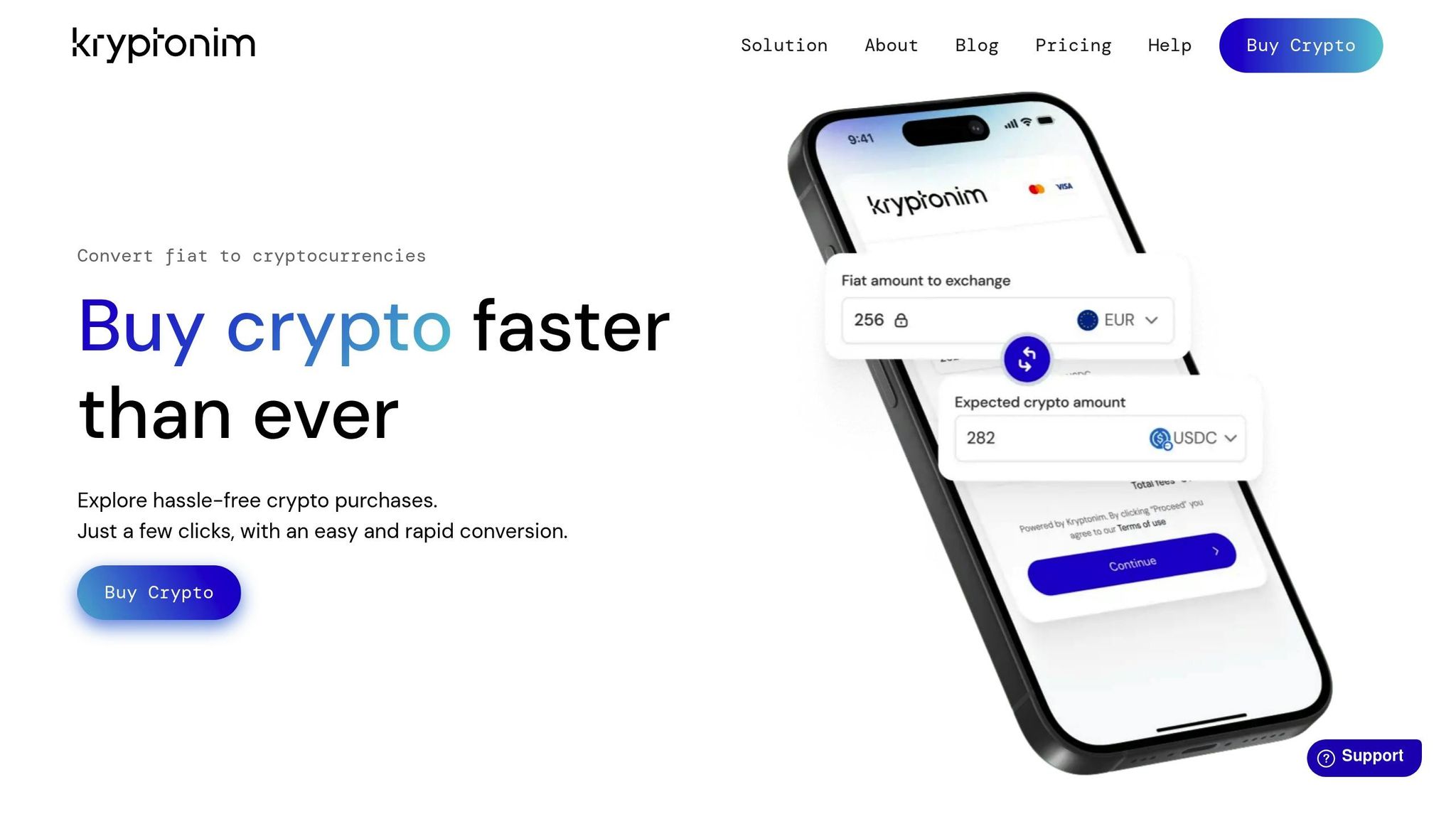
Before diving into cryptocurrency purchases on Kryptonim, you'll need to prepare your prepaid card. This involves two key steps: checking your card's balance and confirming its compatibility with the platform. Once these are squared away, you're all set to start buying crypto.
Verify Your Card Balance
Start by confirming your prepaid card's balance. You can do this through the card issuer's website, a toll-free number, or their mobile app if available.
Make sure your card has enough funds to cover both your intended crypto purchase and any associated processing or network fees. Kryptonim requires a minimum transaction of 10 EUR (around $10.80). To avoid issues, it’s recommended to have at least $5 more than your purchase amount to account for fees.
Confirm Card Compatibility
Next, ensure that your prepaid card meets Kryptonim's requirements. The platform only accepts cards with Visa, Mastercard, or Maestro logos. If your card is reloadable and supports 3D Secure (3DS) verification, that’s even better. Check with your card issuer to confirm that 3DS is enabled and that online and international transactions are allowed. While most modern prepaid cards include 3DS, it’s worth double-checking if you’re unsure.
Additionally, your card must be issued in a supported region. Kryptonim does not operate in certain countries, including Afghanistan, Belarus, Cuba, Iran, North Korea, Russia, or Syria. If you’re in the UK, USA, or Canada, you’ll also need to provide a valid billing address during the purchase process.
Once you've verified your card's balance and confirmed its compatibility, you're ready to proceed with your crypto purchase on Kryptonim.
How to Buy Crypto on Kryptonim Using a Prepaid Card
Got a prepaid card and ready to dive into crypto? Kryptonim makes it simple and quick, even without needing to create an account. Here’s how to get started.
Open the Kryptonim Platform
Head over to the official Kryptonim website at https://kryptonim.com. Right on the homepage, you’ll find a real-time currency converter. This handy tool lets you see the exact exchange rates before committing to a purchase.
Choose Your Cryptocurrency and Amount
Using the converter, pick the cryptocurrency you want to buy - whether it’s Bitcoin, Ethereum, or another supported option. Next, enter the amount in USD you’d like to spend. If you’re new to this, you might want to start small, say under $100, to ensure everything works smoothly.
Select Prepaid Card as Payment Method
Once you’ve chosen your cryptocurrency and the amount, you’ll see a list of payment options. Select the "card" option, which supports prepaid cards from Visa and Mastercard. During your first purchase, you may need to complete a quick identity verification process to comply with EU regulations.
Enter Card Details and Complete Purchase
Input your card details - number, expiration date, and CVV. Before confirming, review the summary, which includes the crypto amount, exchange rate, and any fees. Make sure you have your external wallet address ready, as Kryptonim sends your purchased crypto directly there. After confirming, your transaction will be processed, and your crypto should arrive in your wallet shortly. In fact, around 60% of prepaid card crypto transactions are processed instantly, according to industry data.
"Enter our website, head straight to the converter, complete your transaction using a card or your favorite local payment method, and watch your purchased crypto land in your wallet." - Kryptonim
sbb-itb-0796ce6
Kryptonim Fees for Prepaid Card Purchases
Kryptonim keeps things simple with an all-inclusive pricing model. The price you see at checkout is exactly what you’ll pay - no hidden charges or unexpected fees. Each transaction includes two key components: a processing fee set by Kryptonim and a network fee, which varies depending on blockchain activity. Keep in mind, the amount of cryptocurrency you receive may also shift due to market fluctuations.
"At Kryptonim, we prioritize transparency in pricing. You'll pay a fair price, with no unexpected or hidden fees." - Kryptonim
The minimum purchase amount is 10 EUR (roughly $10.80), regardless of where you’re located. However, the specific fees you’ll encounter depend on your region.
Fee Comparison by Region
Your location determines the processing fee applied to your transaction. Users in the EU benefit from a lower rate of 2%, while those in other regions pay a 4% fee per transaction.
| Feature | EU Users | Other Regions |
|---|---|---|
| Transaction Fee | 2% | 4% |
| Minimum Purchase | 10 EUR (≈$10.80) | 10 EUR (≈$10.80) |
| Fee Components | Processing Fee + Network Fee | Processing Fee + Network Fee |
| Network Fee | Variable (based on blockchain) | Variable (based on blockchain) |
The network fee is outside Kryptonim’s control and depends on blockchain traffic at the time of purchase. If you’re looking to save a bit, try making transactions during less busy periods when network fees are typically lower.
Security Tips for Using Prepaid Cards on Kryptonim
When you're ready to make a purchase on Kryptonim, ensuring the security of your payment method should be a top priority.
Keep Your Card Information Safe
One of the perks of using a prepaid card is that it's not tied directly to your main bank account, which reduces risks in case of a breach. That said, you still need to take precautions to safeguard your card details during transactions.
- Double-check your billing details. Make sure the billing information you provide matches what you submitted during Kryptonim's verification process. Any mismatch could lead to a failed transaction.
- Stick to official support channels. Always contact Kryptonim's support team through their official website. Be cautious of scammers who may pose as support representatives via fake emails or social media. Before sharing any information, confirm you're on the official kryptonim.com domain.
- Transfer crypto to your personal wallet right away. Once your cryptocurrency purchase is complete, it’s sent to the wallet address you provided. Use a secure personal wallet like MetaMask, Trust Wallet, or Coinbase Wallet. To ensure everything went smoothly, check the blockchain explorer link included in your confirmation email.
By staying vigilant with your card details and wallet security, you can enjoy a safer transaction experience.
Check Kryptonim's Security Measures
Kryptonim operates under strict financial security regulations set by the EU. These measures work hand-in-hand with your personal security efforts.
"As an EU-regulated on-ramp tool for purchasing cryptocurrencies, we are obliged to apply financial security measures." – Kryptonim
The platform employs encryption protocols to protect your sensitive information, adheres to a data minimization policy, and routinely deletes unnecessary data. To comply with Anti-Money Laundering (AML) and Know Your Customer (KYC) requirements, you’ll need to provide a valid government-issued ID and complete a facial recognition check.
Before entering your card details, look for the padlock icon in your browser’s address bar to confirm the connection is secure. For more details about how your data is handled, review Kryptonim’s Privacy Policy and Terms of Use directly on their website.
Wrapping It Up
Using a prepaid card to buy crypto on Kryptonim is a straightforward and secure process. Start by checking your card's balance and compatibility, then head to the Kryptonim platform. From there, select your desired cryptocurrency and the amount you wish to purchase. Choose your prepaid card as the payment method, input your card details, and complete the transaction.
Prepaid cards bring several advantages to the table, such as better control over spending, added privacy, and enhanced security. Kryptonim further simplifies the process with its no-account-needed system and straightforward pricing.
"With Kryptonim's all-in-one pricing, the price you see is exactly the price you pay." – Kryptonim
Before finalizing your purchase, double-check your wallet address since crypto transactions cannot be reversed. If you're new to the process, consider starting with a smaller amount to ensure everything goes smoothly before scaling up.
The ease and security of prepaid cards make them an excellent choice for stepping into the world of cryptocurrency.
FAQs
Why was my prepaid card payment declined?
When a prepaid card payment is declined, it often comes down to a few common reasons. Insufficient funds is a leading cause - if the card doesn't have enough balance to cover the transaction, the payment won't go through. Another frequent issue is incorrect billing details, like a mismatched address or ZIP code.
Additionally, some prepaid cards may face restrictions. For instance, certain issuers block their use for online purchases or cryptocurrency transactions. Fraud protection measures or specific merchant policies can also flag and prevent transactions. In some cases, banks or card providers may outright block cryptocurrency-related payments as a precautionary measure. Always double-check your card's terms and conditions to avoid surprises.
Do I have to pass ID verification to buy crypto with a prepaid card?
Whether or not ID verification is needed depends largely on the platform you're using and the size of the transaction. Smaller purchases might not require any verification at all. But for larger transactions, most platforms will ask for ID to meet regulatory guidelines. It's a good idea to review the platform's specific policies ahead of time to understand what’s required.
How long does it take for the crypto to arrive in my wallet?
The time it takes for crypto to appear in your wallet after purchasing with a prepaid card depends on the platform. Many platforms handle these transactions almost instantly or within a few minutes, much like credit or debit card payments. That said, delays can happen due to factors like verification processes or network congestion. In most cases, you’ll see the crypto credited to your wallet shortly after the payment is confirmed.