
How to Top Up Your MetaMask Wallet With EUR in 2026
Clear steps to fund your MetaMask wallet with EUR in 2026: card, SEPA, or on‑ramp platforms, plus fees, security best practices, and troubleshooting.

In 2026, funding your MetaMask wallet with EUR is easier than ever. Whether you're diving into DeFi, buying NFTs, or staking assets, you can now add EUR directly to your wallet using multiple methods. Here's a quick breakdown:
- Kryptonim: A secure EU-regulated platform with a flat 2% fee for direct EUR-to-crypto purchases.
- MetaMask's Built-In Buy Feature: Aggregates quotes from providers like Transak and MoonPay, offering real-time pricing and over 100 payment methods.
- SEPA Transfers: A low-cost option for large transactions, saving up to 70% on fees compared to card payments.
Each method comes with its own fees, processing times, and requirements, but all ensure direct transfers to your self-custodial MetaMask wallet. Below, we’ll explore these options in detail, along with tips to secure your wallet and troubleshoot common issues.
What You Need Before Adding EUR to MetaMask
Before funding your wallet, make sure you’ve completed these steps to avoid any delays with your deposits.
Setting Up Your MetaMask Wallet
First, download the official MetaMask app or browser extension (v7.61+) directly from metamask.io. On your first use, select "Create a new wallet". You’ll have two setup options: the 12-word Secret Recovery Phrase (SRP) or Social Login. The SRP method gives you complete control over your wallet, but losing the 12-word phrase means there’s no way to recover it. Social Login, on the other hand, splits recovery across nodes using your Google or Apple account.
Once you’ve chosen your method, create a strong password. If using the SRP option, write your 12-word phrase on paper and store it securely - avoid saving it in cloud storage, email, or digital notes. To complete the setup, you’ll need to verify the phrase in the correct order. Always download MetaMask from official sources to protect yourself from phishing or fake extensions.
When your wallet is ready, double-check that you meet the requirements for funding it with EUR.
EUR Funding Requirements
To purchase crypto using EUR, you’ll need to complete KYC (Know Your Customer) verification through a third-party provider like Transak or Crypto Life. This process typically requires:
- A government-issued ID
- Proof of residency
- A valid email address
- A confirmed phone number
Additionally, you must have an EU-based bank account for SEPA transfers or a Visa/Mastercard credit or debit card.
When using MetaMask’s built-in "Buy" feature, make sure to select your region and choose EUR as your currency to see accurate quotes from supported providers. Many EUR payment methods also require two-factor authentication (2FA) for added security and to prevent chargebacks. Keep in mind, MetaMask doesn’t store your personal payment details - your KYC information is handled directly by the third-party provider.
Once the funding requirements are met, it’s crucial to secure your wallet before proceeding with deposits.
Security Tips for Your Wallet
With MetaMask being a self-custodial wallet, the responsibility for its security falls entirely on you. If you’re making larger EUR deposits, consider connecting your MetaMask wallet to a hardware wallet like Ledger or Trezor. This adds a physical confirmation step for transactions, boosting your protection. Additionally, enable 2FA on your payment provider’s platform, as MetaMask itself doesn’t offer built-in 2FA.
"As MetaMask is a self-custodial wallet, MetaMask Card does not have custody over your tokens. Instead, you decide which tokens MetaMask Card can draw upon." - MetaMask
To avoid phishing scams, access funding features only through the official MetaMask extension or the portfolio.metamask.io dashboard. If you notice any suspicious activity, stop your transactions immediately and contact your provider. In case your wallet is compromised, transfer your funds to a new wallet without delay.
Following these steps will help ensure a smooth process for adding EUR to your MetaMask wallet.
sbb-itb-0796ce6
Method 1: Using Kryptonim for EUR-to-Crypto Purchases
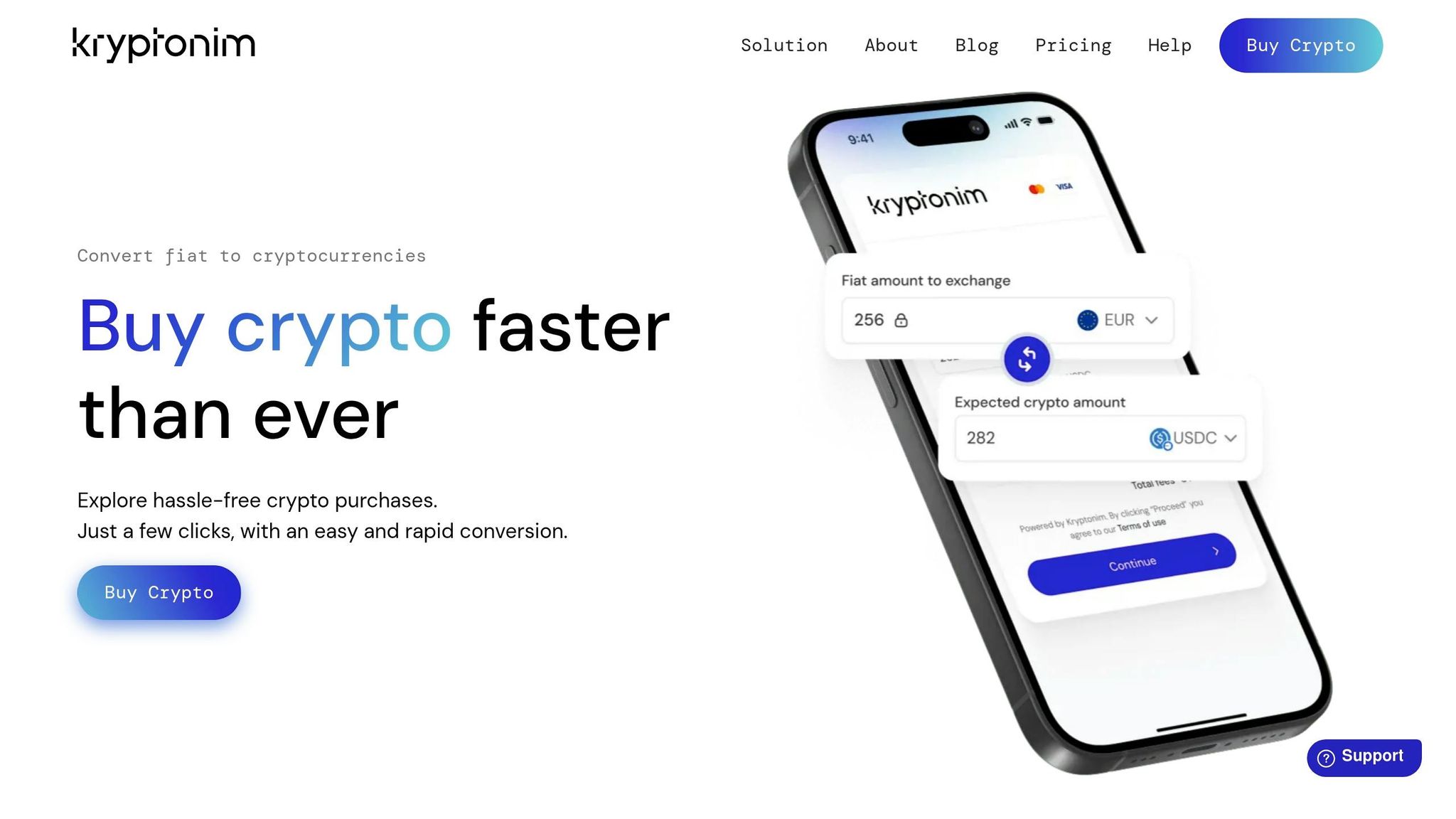
This method offers an easy way to fund your MetaMask wallet with EUR through a secure, EU-regulated platform. Kryptonim acts as an EU-regulated on-ramp tool, allowing you to buy cryptocurrency with EUR and send it directly to your MetaMask wallet. Its user-friendly design ensures you can complete transactions effortlessly - even without creating an account.
How to Buy Crypto on Kryptonim and Transfer to MetaMask
To get started, visit the Kryptonim website and locate the converter tool. Enter the amount of EUR you'd like to spend and select the cryptocurrency you want to purchase, such as ETH, USDT, or any other token that works with MetaMask. During the checkout process, you'll need to provide your MetaMask public wallet address. You can find this by copying your public wallet address directly from MetaMask.
Next, choose your payment method - this could be a credit/debit card or a supported local payment option. Kryptonim simplifies the process with a "seamless verification" system, reducing paperwork and speeding up onboarding. Once your payment is confirmed, the cryptocurrency is sent straight to your MetaMask wallet. This streamlined approach aligns perfectly with MetaMask's self-custodial setup.
"Purchasing cryptocurrencies via Kryptonim is easy and doesn't require prior experience. We made our tool so simple and intuitive that anyone can use it." - Kryptonim
Payment Methods on Kryptonim
Kryptonim provides flexible payment options to accommodate different users. You can use major credit/debit cards like Visa and Mastercard or opt for region-specific local payment methods. Card payments are typically the quickest option, while local payment systems may integrate better with regional banking networks.
Kryptonim's Fee Structure
Kryptonim uses an "all-in-one pricing" system, meaning the exchange rate you see is the final price. For users in the EU, the transaction fee is 2%, while those in other regions are charged 4% per transaction. This transparent pricing ensures you know exactly how much cryptocurrency you'll receive before completing your purchase.
"With Kryptonim's all-in-one pricing, the price you see is exactly the price you pay." - Kryptonim
Thanks to its competitive rates and compliance with EU regulations, Kryptonim is a dependable choice for funding your MetaMask wallet with EUR, particularly for users within the European Union.
Method 2: Using MetaMask's Built-In Buy Feature
MetaMask offers a convenient way to deposit funds using its built-in purchase option. Acting as an aggregator, this feature connects you with trusted providers, pulling real-time quotes so you can compare rates and choose the best option. Supporting users in 189 countries and offering over 100 payment methods, it’s a straightforward solution for depositing EUR.
Finding the Buy Feature in MetaMask
This feature integrates seamlessly into the MetaMask interface. If you're using the MetaMask Extension, locate the "Buy/Sell" button on the left-hand side. Clicking it redirects you to the MetaMask Portfolio web interface at portfolio.metamask.io, where you can complete your purchase. On MetaMask Mobile, tap the "Buy" button beneath your account balance or use the "Trade" button (the two arrows icon) to access the same functionality.
Selecting a EUR Payment Provider
Start by selecting your region - choosing a country within the European Union automatically filters providers that accept EUR. MetaMask gathers quotes from multiple providers, allowing you to compare fees and processing times. These quotes refresh every 10 seconds to reflect market changes and gas prices, reducing the chance of failed transactions.
For European users, SEPA bank transfers are often available alongside payment options like credit cards, debit cards, Apple Pay, and Google Pay. SEPA transfers usually come with lower fees but may take longer to process. Using local payment providers through MetaMask’s aggregator can potentially save you up to 70% on transaction fees compared to traditional methods. Before requesting quotes, ensure you select the correct token (e.g., ETH or USDT) and network (Ethereum, Polygon, Linea, etc.), as fees vary depending on the network.
Completing Your EUR Deposit
Once you’ve selected a provider, complete the KYC verification and payment process on their platform. After your payment is confirmed, your MetaMask balance will update automatically.
"Your account balance is updated automatically in MetaMask once the purchase is executed with the provider. Now, you no longer have to wait to send money from a centralized exchange over to MetaMask." - MetaMask
You can monitor your transaction status in the "Activity" tab of your wallet. If there are delays after payment, reach out to the provider’s support team. This streamlined process ensures your wallet is funded and ready to use without unnecessary hassle.
Method 3: Using Bank Transfer or SEPA for EUR Deposits
SEPA transfers offer a cost-effective way to fund your MetaMask wallet. By transferring EUR from your bank to an on-ramp service, you can convert your funds into tokens compatible with MetaMask. For instance, opting for SEPA over cards for a $1,100 monthly investment could save you around $400 annually in fees. Here’s how to set up your bank account and convert EUR into cryptocurrency for your wallet.
Connecting Your Bank Account for SEPA Transfers
To start, you’ll need to complete the KYC (Know Your Customer) process with your chosen on-ramp service. This involves submitting a government-issued ID and proof of address, which usually takes between 5 and 30 minutes. Once verified, you’ll receive the necessary details, such as a beneficiary IBAN, BIC/SWIFT code, and a unique payment reference code.
From your banking app, transfer the desired EUR amount to the provided IBAN, ensuring you include the unique reference code. Make sure the account name matches the one registered on the platform.
For a smoother experience, consider using crypto-friendly banks like N26, Revolut, or Bunq. Some traditional banks might block or flag transactions to crypto platforms. SEPA transfers are supported in 36 countries, including all 27 EU member states, as well as the UK, Switzerland, Norway, Iceland, Liechtenstein, Monaco, and Andorra.
Converting EUR to Wallet-Compatible Tokens
After your transfer is verified, the on-ramp service will automatically convert your EUR into the cryptocurrency of your choice. The converted funds are then sent to your MetaMask address. Double-check your token and network selection to avoid the hassle of manual bridging later.
If your bank offers SEPA Instant, take advantage of it to secure exchange rates and bypass the usual 1–3 day waiting period of standard SEPA transfers. SEPA Instant transactions settle in under 10 seconds and are supported by over 60% of European banks, with plans for mandatory adoption by all EU banks by late 2026.
Processing Times and Fees for Bank Transfers
Standard SEPA transfers typically take one business day to process but can take up to seven calendar days if initiated on a weekend. SEPA Instant, on the other hand, processes transactions in just 15–30 minutes and operates 24/7.
The total cost of SEPA transfers usually falls between 0.5% and 0.8% of the transaction value, covering platform fees and exchange rate spreads. Most banks don’t charge for standard SEPA transfers, though SEPA Instant may come with a small premium ranging from $0.20 to $5.50, depending on your bank. In contrast, credit and debit card fees range from 3.5% to 4.5%, allowing SEPA users to purchase 3–4% more cryptocurrency due to lower fees.
| Factor | SEPA Transfer | Credit/Debit Card |
|---|---|---|
| Fees | 0.5%–0.8% | 3.5%–4.5% |
| Settlement | Instant to 1 day | Immediate |
| Limits | Often $110,000+ | Typically $5,500–$11,000 |
| Ideal For | Large or regular purchases | Urgent, small purchases under $550 |
Most platforms set a minimum EUR deposit, usually between $1.10 and $5.50. Ensure you use SEPA for Euro transfers, not SWIFT - sending EUR via SWIFT to SEPA-only addresses can result in automatic returns, which may take up to two weeks, or even the loss of funds.
Security Practices and Fee Comparison

MetaMask EUR Funding Methods: Fees, Speed & Limits Comparison 2026
Security Tips for EUR Transactions
Keeping your funds secure starts with using trusted providers. MetaMask's aggregator includes only vetted services like Transak, MoonPay, and Banxa, all of which have passed strict security evaluations. Always interact through the official MetaMask interface to steer clear of phishing attempts.
For added protection, enable two-factor authentication (2FA) on all accounts linked to EUR transactions. It's best to use an authenticator app rather than SMS for this purpose. If you're using connected services, setting a transaction limit can help control how much access these services have to your account.
Another key step is ensuring that your bank account name matches the name on your KYC (Know Your Customer) record. Mismatches can lead to rejected transfers. Additionally, SEPA transfers require you to include the unique reference code provided by the platform - missing this detail can delay or cancel your transaction. With these security measures in mind, let’s look at how fees, processing times, and limits stack up across various payment methods.
Comparing Fees, Speeds, and Limits
Each payment method has its own advantages and trade-offs. Traditional options like Visa and Mastercard often experience failure rates ranging from 30% to 70% in certain regions, making EUR-specific methods like SEPA transfers a more dependable choice.
SEPA Standard transfers are the most cost-effective, with fees typically ranging from 0% to 0.5%. However, they may take 0–2 business days to process. If you're in a hurry, SEPA Instant transfers can complete in about 2 hours while keeping costs low. On the other hand, credit and debit card payments offer near-instant access but come with higher fees, usually around 3% to 4% or more.
For those looking to save on fees, using local payment providers through MetaMask's aggregator can reduce transaction costs by up to 70% compared to traditional card payments. For instance, if you're making a purchase over €1,000, opting for SEPA transfers instead of cards could save you between €30 and €40 per transaction.
| Method | Typical Fees | Processing Time | Ideal For |
|---|---|---|---|
| Kryptonim (EU) | 2% | Fast | Direct EUR purchases with clear pricing |
| Kryptonim (Non-EU) | 4% | Fast | Users outside Europe |
| MetaMask Buy (Card) | ~3% to 4%+ | Near-instant | Small, urgent purchases |
| SEPA (Standard) | 0%–0.5% | 0–2 Business Days | Large or regular purchases (up to €21,000 daily) |
| SEPA Instant | Minimal + bank fee | ~2 Hours | Quick, low-cost EUR deposits |
To ensure accurate pricing, MetaMask updates its quotes every 10 seconds to account for gas price changes.
Troubleshooting Common EUR Deposit Problems
Resolving KYC and Verification Issues
MetaMask itself doesn’t handle identity verification - that’s the job of on-ramp providers like Transak, MoonPay, or Sardine. If your verification gets stuck or your documents are rejected, you’ll need to reach out to the support team of the specific provider you’re using. They’re the only ones who can resolve issues with your verification data. Make sure your submitted documents are clear, valid, and match the information you provided.
Keep in mind that initial verifications can take a few hours, and larger purchases may require additional documentation. If you’re not seeing purchase quotes while trying to buy with EUR, regional restrictions might be the culprit. In such cases, you can purchase EUR-compatible tokens on a centralized exchange and transfer them to your MetaMask wallet.
Fixing Transaction Delays and Errors
Even after resolving KYC issues, transaction delays can happen. If you’ve been charged but don’t see the crypto in your wallet, the issue is likely with the provider’s internal processes, not the blockchain. For delays like this, contact the provider’s support team.
To check the status of a transaction, look at the Activity tab in your wallet or use a block explorer like Etherscan. Pending transactions are often tied to the provider’s pre-authorization process. Some quick troubleshooting steps include restarting the MetaMask app, updating it to the latest version, or locking and unlocking your wallet. Avoid resetting your wallet unless a support agent specifically instructs you to do so.
Dealing With Regional Restrictions
Regional limitations can also cause issues. While MetaMask’s "Buy" feature works in 189 countries, local regulations might restrict certain payment methods or providers. The platform automatically filters available options based on your region and currency.
In some markets, traditional payment methods like Visa or Mastercard may fail 30% to 70% of the time. If the "Buy" feature isn’t available in your area, you can purchase crypto with EUR on a centralized exchange and transfer it to MetaMask. Peer-to-peer transfers are another option.
Always double-check that your region is correctly selected in the MetaMask Portfolio or mobile app, as this affects the quotes and providers you’ll see. For specific EUR-pegged stablecoins like Monerium’s EURe, you might need to use the issuer’s platform directly if liquidity is limited in your region. Following these steps can help you avoid interruptions while funding your wallet with EUR.
Conclusion: Secure EUR Top-Ups for MetaMask
Key Takeaways
Adding EUR to your MetaMask wallet in 2026 offers several efficient options. Kryptonim provides a straightforward solution for EU users with a 2% fee, enabling direct crypto purchases and transfers to your wallet. Alternatively, MetaMask's built-in Buy feature aggregates quotes from trusted providers like Transak, MoonPay, and Banxa, giving you real-time pricing comparisons. For larger transactions, SEPA bank transfers remain a cost-effective and reliable choice.
The best approach depends on your priorities. Using local payment providers through MetaMask's aggregator can cut transaction fees by up to 70% compared to traditional credit card processors. While credit and debit cards offer speed, they can face failure rates of 30% to 70% in certain regions. SEPA transfers, on the other hand, provide greater reliability for users in Europe. Always double-check your network selection before finalizing a purchase and ensure you complete any required KYC steps. With these options, you can balance speed, cost, and security based on your needs.
Begin Funding Your Wallet
Funding your MetaMask wallet with EUR is straightforward. Whether you choose Kryptonim for quick transactions, MetaMask's aggregator for competitive pricing, or SEPA transfers for larger, economical deposits, you maintain control of your private keys throughout the process. The MetaMask Buy feature operates in 189 countries and supports over 100 payment methods worldwide.
FAQs
Which network should I choose when buying crypto with EUR in MetaMask?
When purchasing crypto with EUR in MetaMask, it's important to select a network that aligns with your payment method and region. MetaMask collaborates with providers such as Transak, offering options like debit card payments, bank transfers, and other local methods. To ensure everything goes smoothly and complies with local rules, make sure the network you choose works with your location and preferred payment option during the transaction process.
Why was my EUR deposit charged but the crypto still isn’t in my MetaMask wallet?
If your EUR deposit has been charged but the crypto hasn’t shown up in your MetaMask wallet yet, it could be due to a pending or unconfirmed transaction on the blockchain. Double-check to make sure the transaction is confirmed, and verify that you’re using the correct network and wallet address.
If you used services like MoonPay or Transak, keep in mind that the onramp process might take a little time to finalize before the funds appear in your wallet. Patience is key here!
How can I lower fees when topping up MetaMask with EUR for larger amounts?
To save on fees when adding EUR to your MetaMask wallet, especially for larger amounts, you can tweak your gas settings. While setting up the transaction, click on the fee section, go to 'Advanced Options,' and pick a lower gas fee - like the 'Low' option. Just remember, this could slow down the confirmation process. Another tip? Avoid times of high network congestion by making transactions during off-peak hours to cut down on costs even more.